eBay One-Time Setup
**Note:
If you've never sold on eBay before please spend some time reviewing some of their articles start here: Start selling on eBay
As a seller, you must provide eBay with a banking account.
Our tool currently operates for individuals located in the US.
Once you've made an account and can sell on eBay, you'll need to do a few more things in order to have Lazylists be compatible with your account.
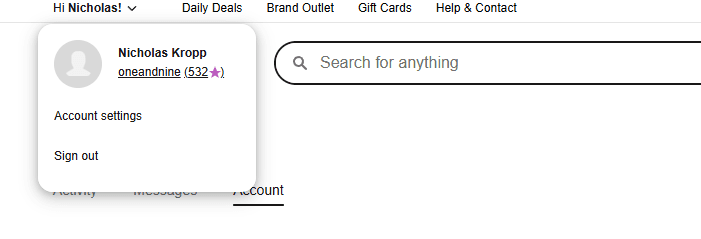
In the Upper Left corner on eBay, open the dropdown menu and click on account settings.
You should see a screen that looks similar to this; click on Business Policies
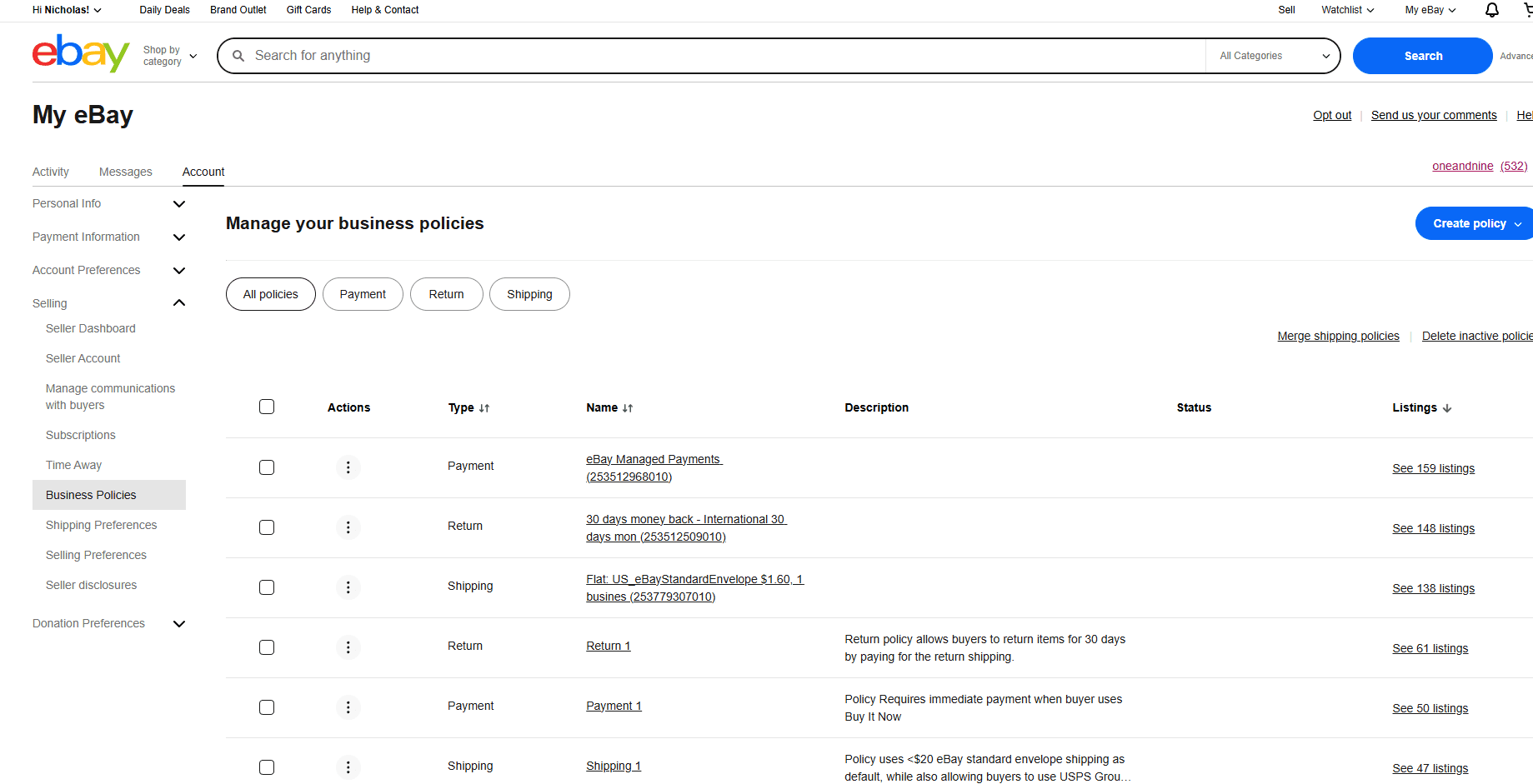
You'll need to create 3 policies:
One for Shipping , another for Returns , and lastly for Payments .
It's recommended to Name them:
Shipping 1
Return 1
Payment 1
Because these are our default labels for new users, if you'd like to change this you can incorporate other label names into your eBay Policies. Just make sure to also change the labels to the appropriate names in your Lazylists account settings.
Now let's dive into Shipping Preferences.
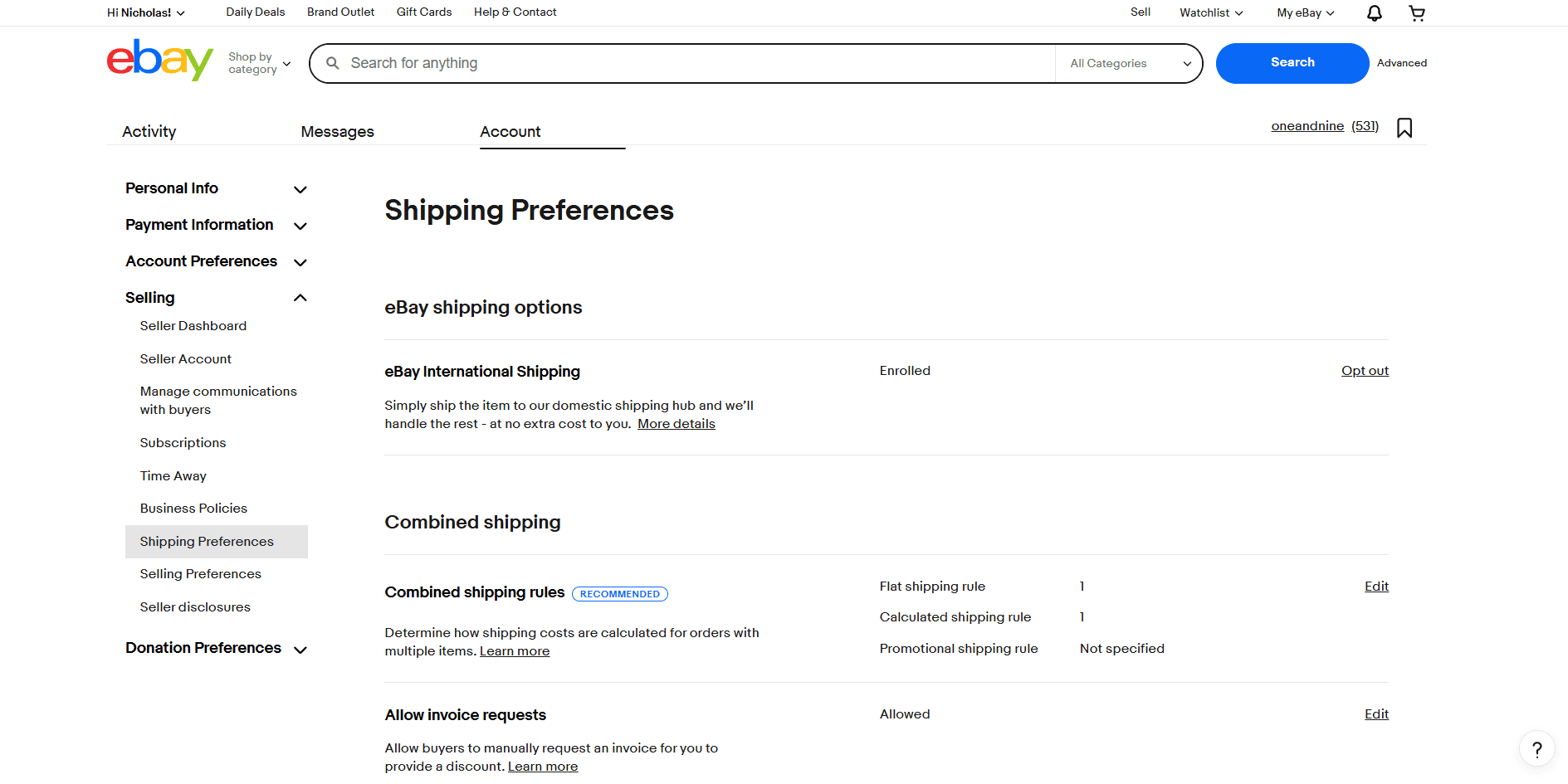
**Shipping Notes:
Currently, when using Lazylists you'll need to use Flat shipping rates NOT Calculated rates for buyers.
If you have access to a label printer, it's highly recommend to use eBay's Standard Envelope for trading cards.
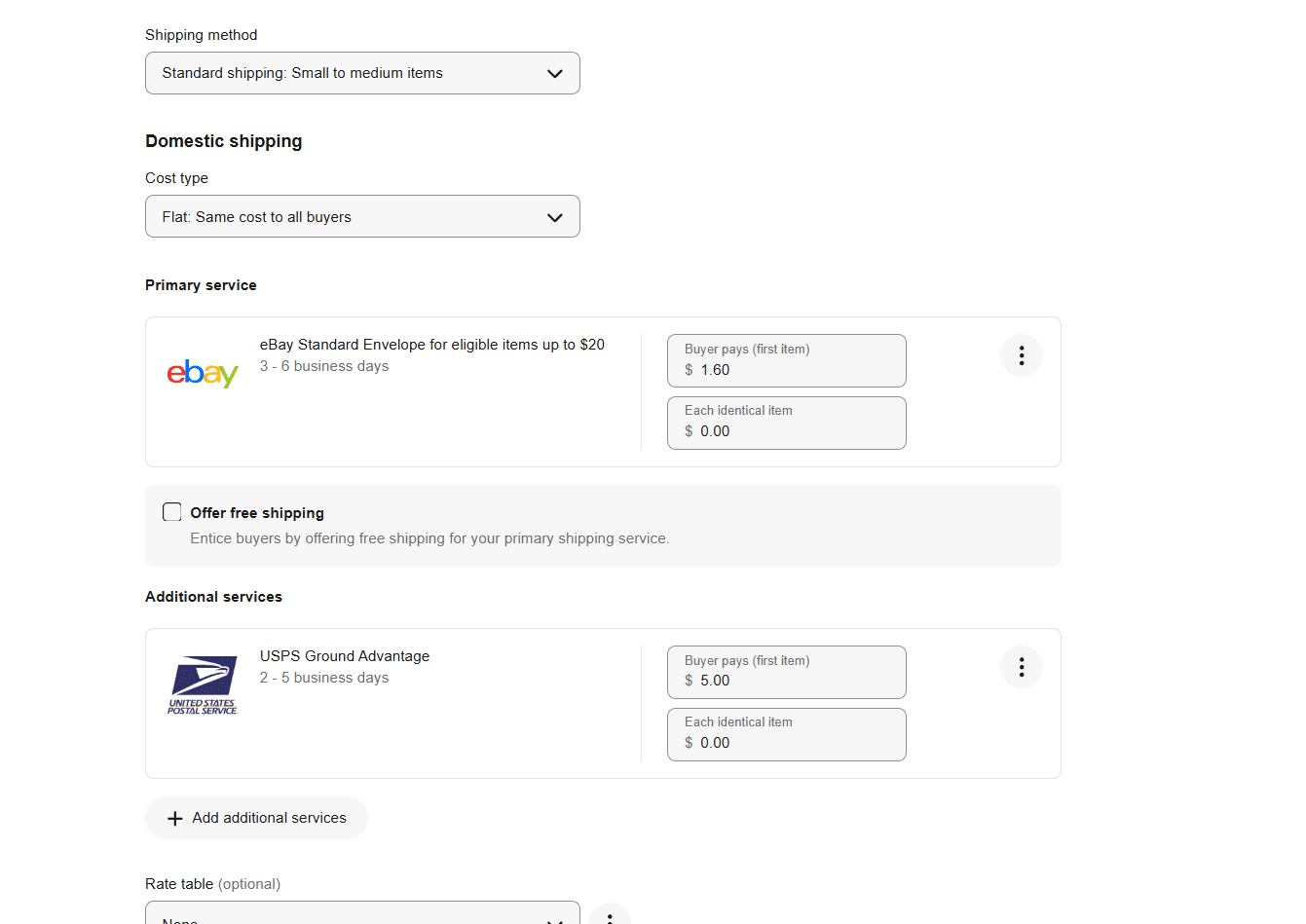
This is what I personally use for my listings, but set things in a way that feels good to you!
Additional rules can be applied as you get more comfortable selling on eBay. For example, you can offer free shipping for orders > a certain dollar amount.
Don't forget to set a handling time.
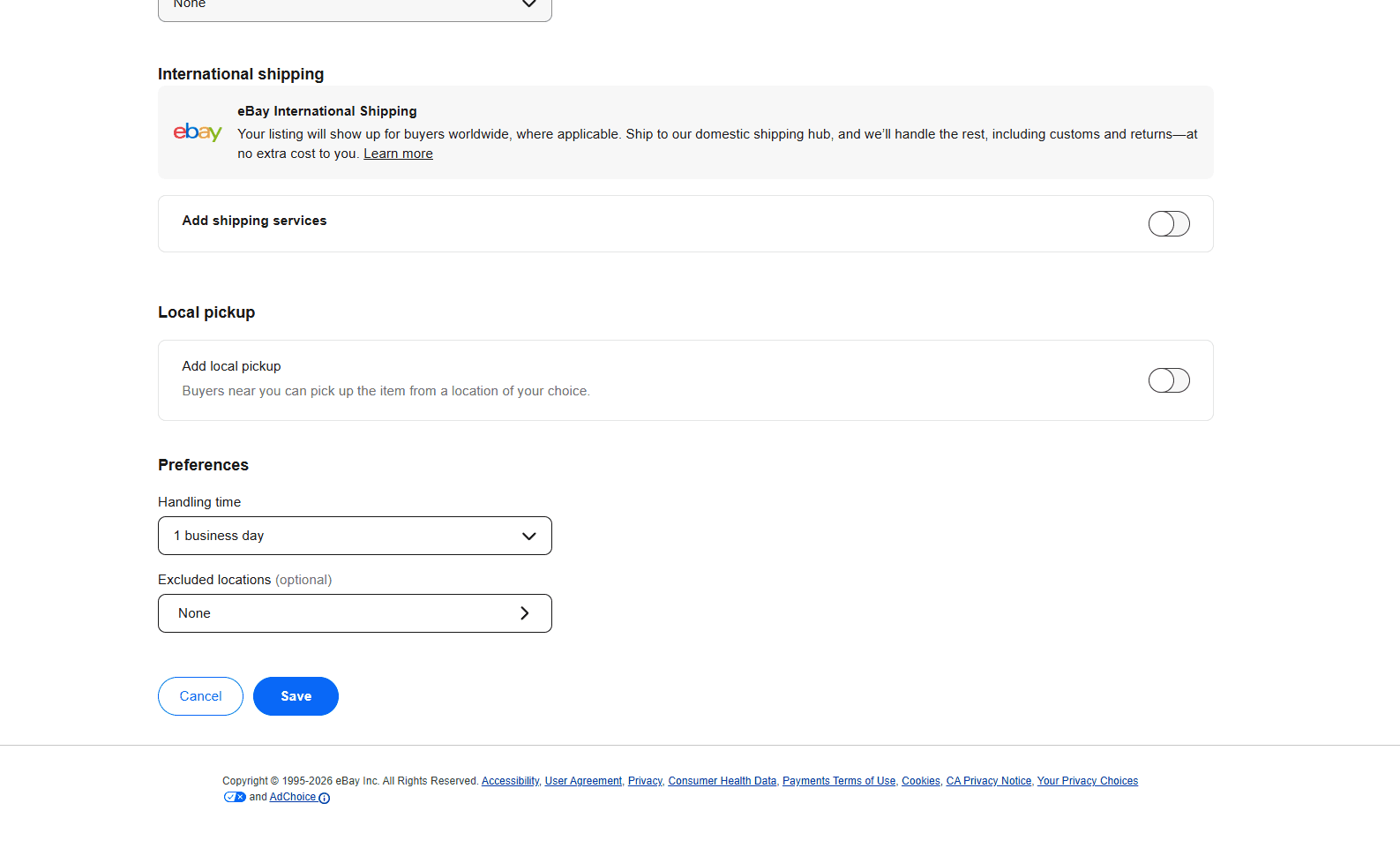
I recommend 3 Days handling time for beginners.
Just a few more steps!
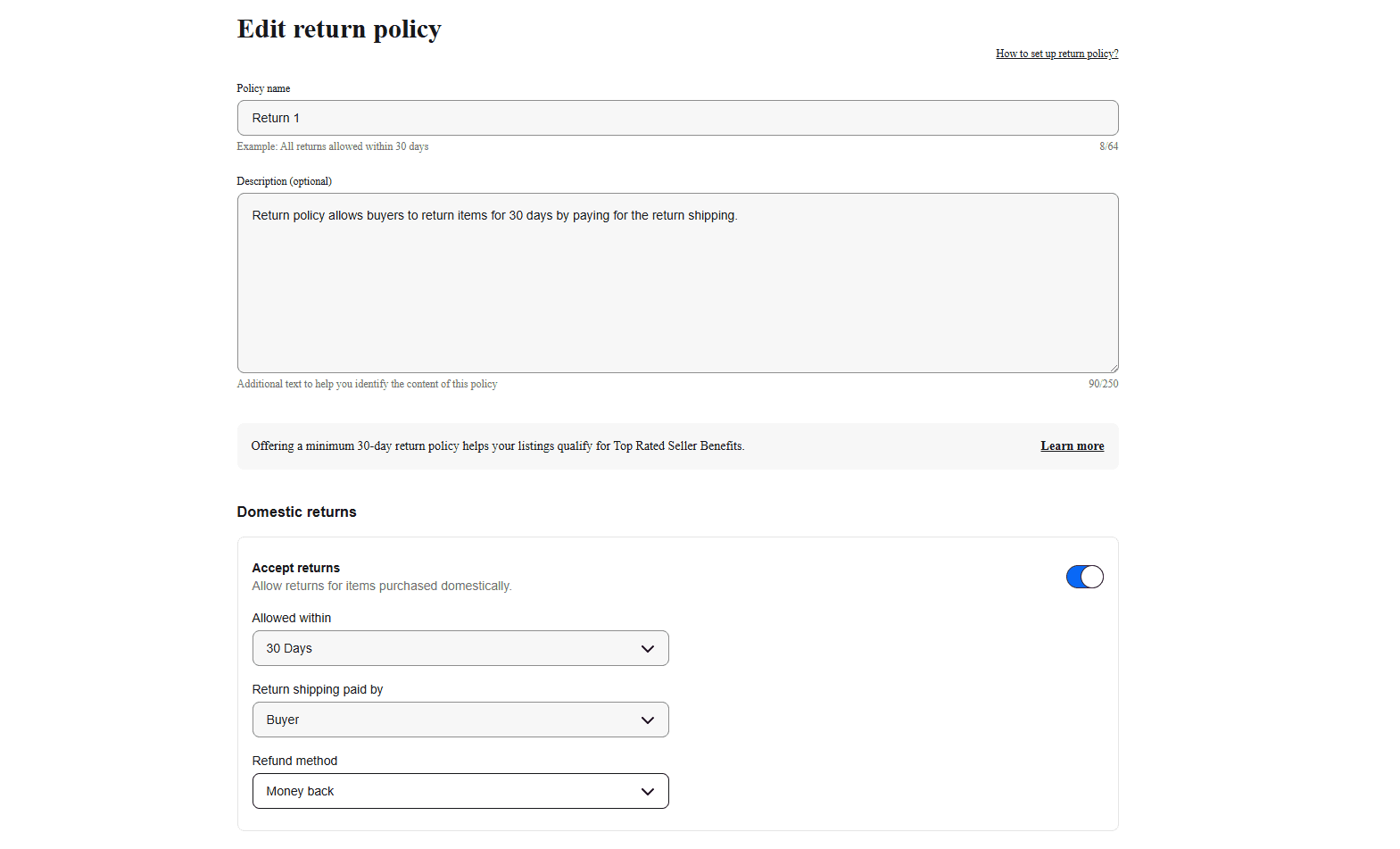
Here's a Return Policy example, I recommend using these settings to ensure that your store page remains compatible with Lazylists
And finally set a Payment Policy
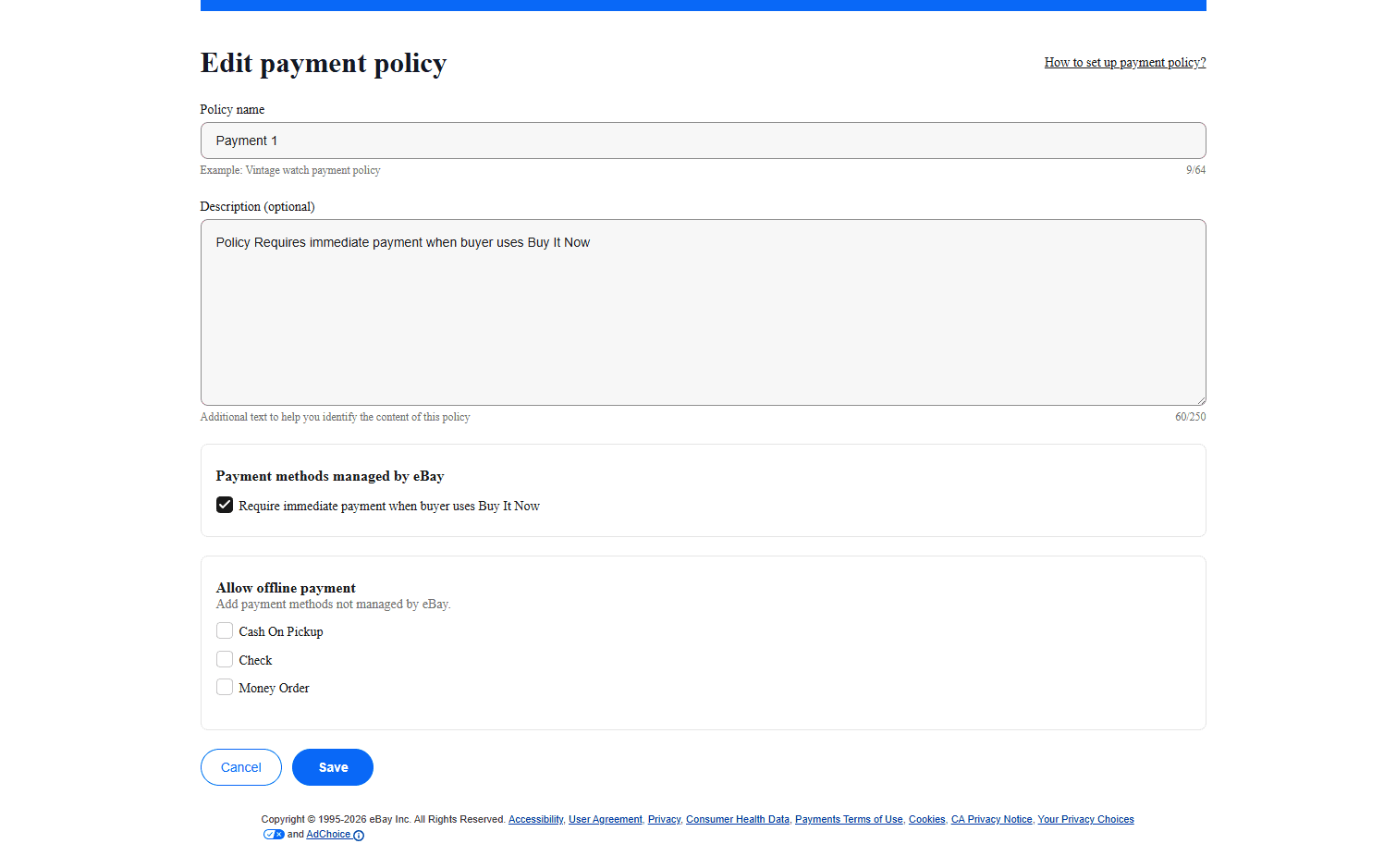
And we're done! Now for the exciting part...
Here's how to upload your Lazylists CSV files directly onto your eBay store!
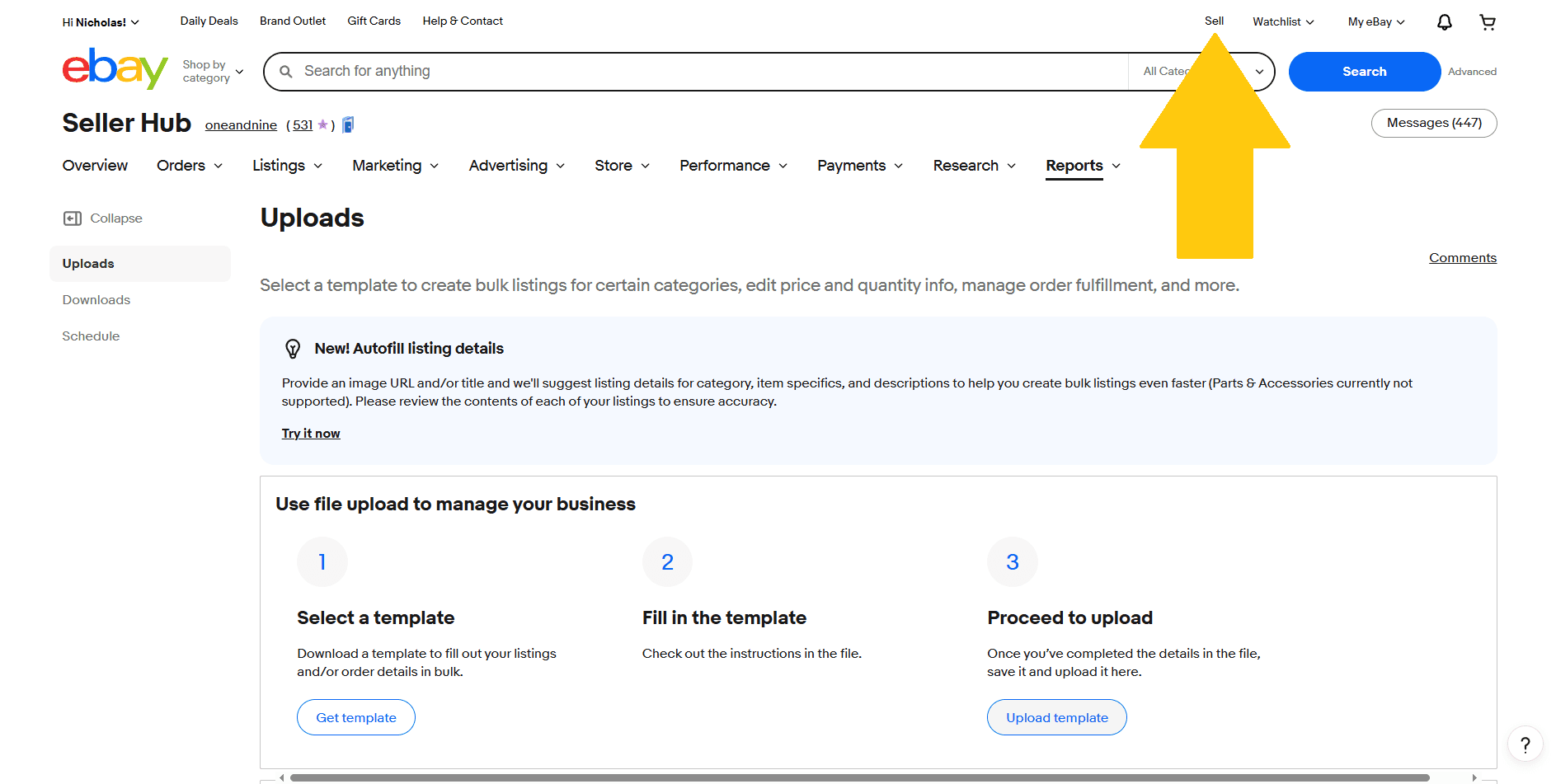
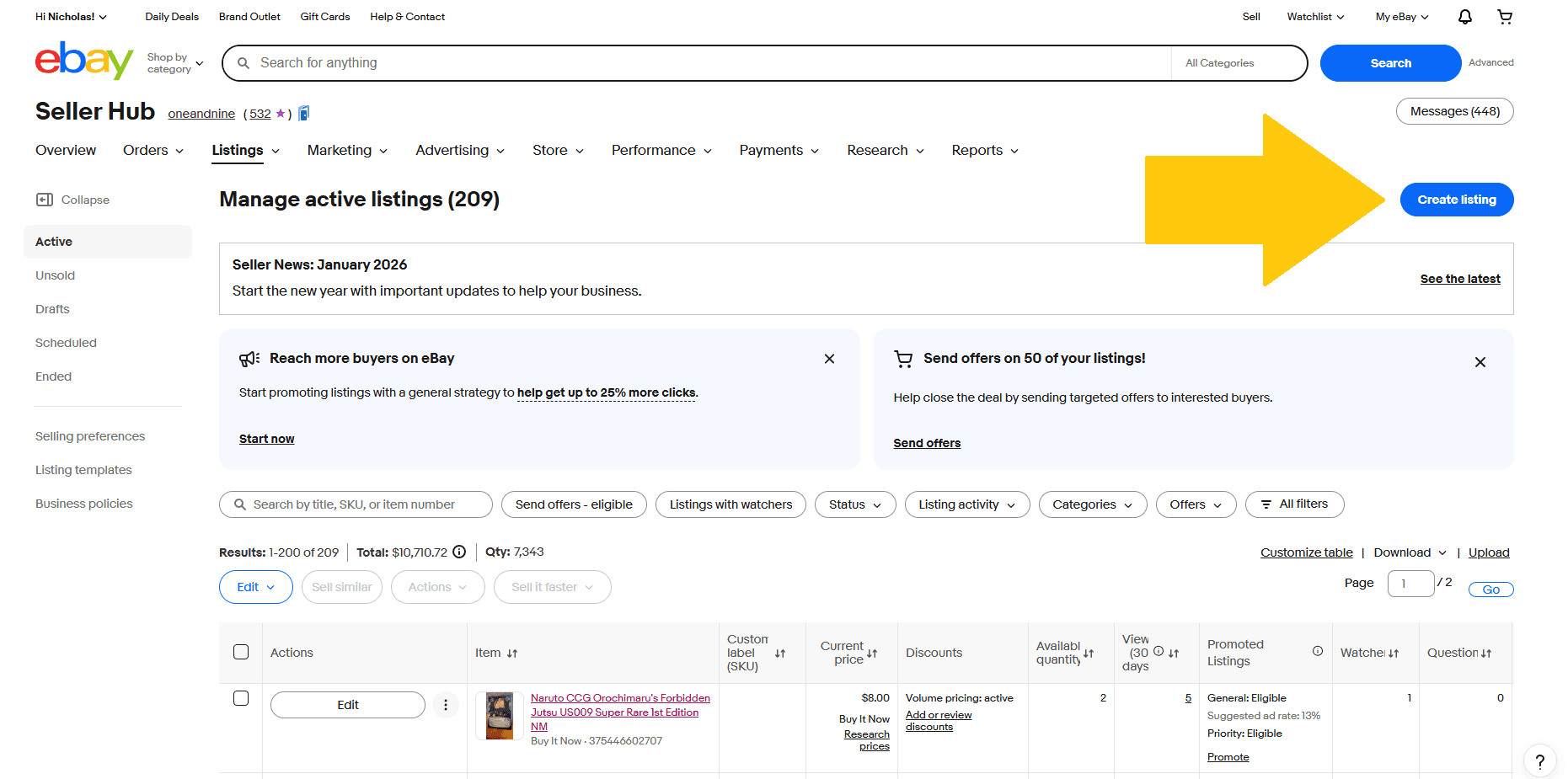
Click on the small Sell Link in the upper right.
Then click the Create listing button
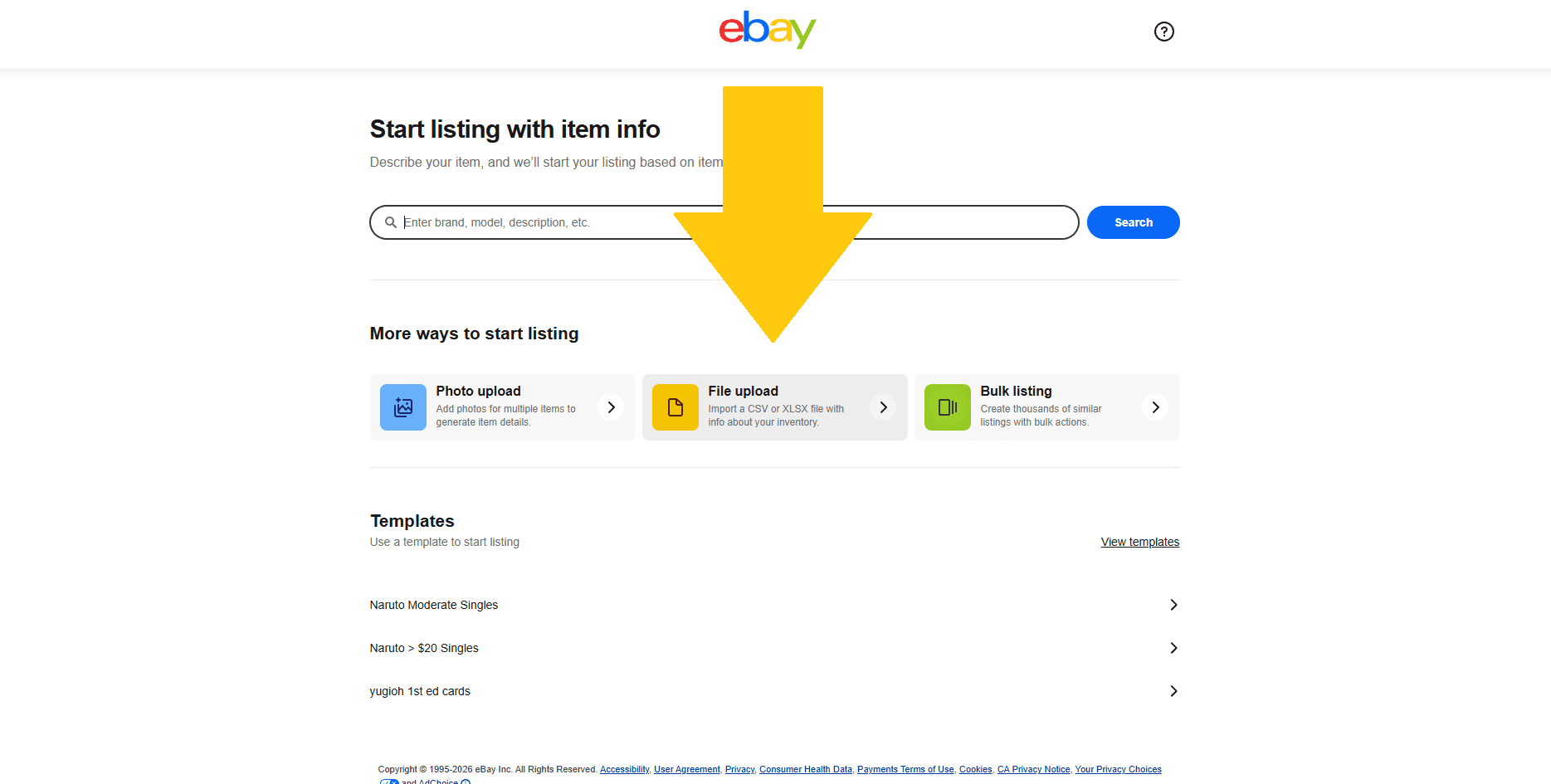
Click on the center for File Upload
Last step!
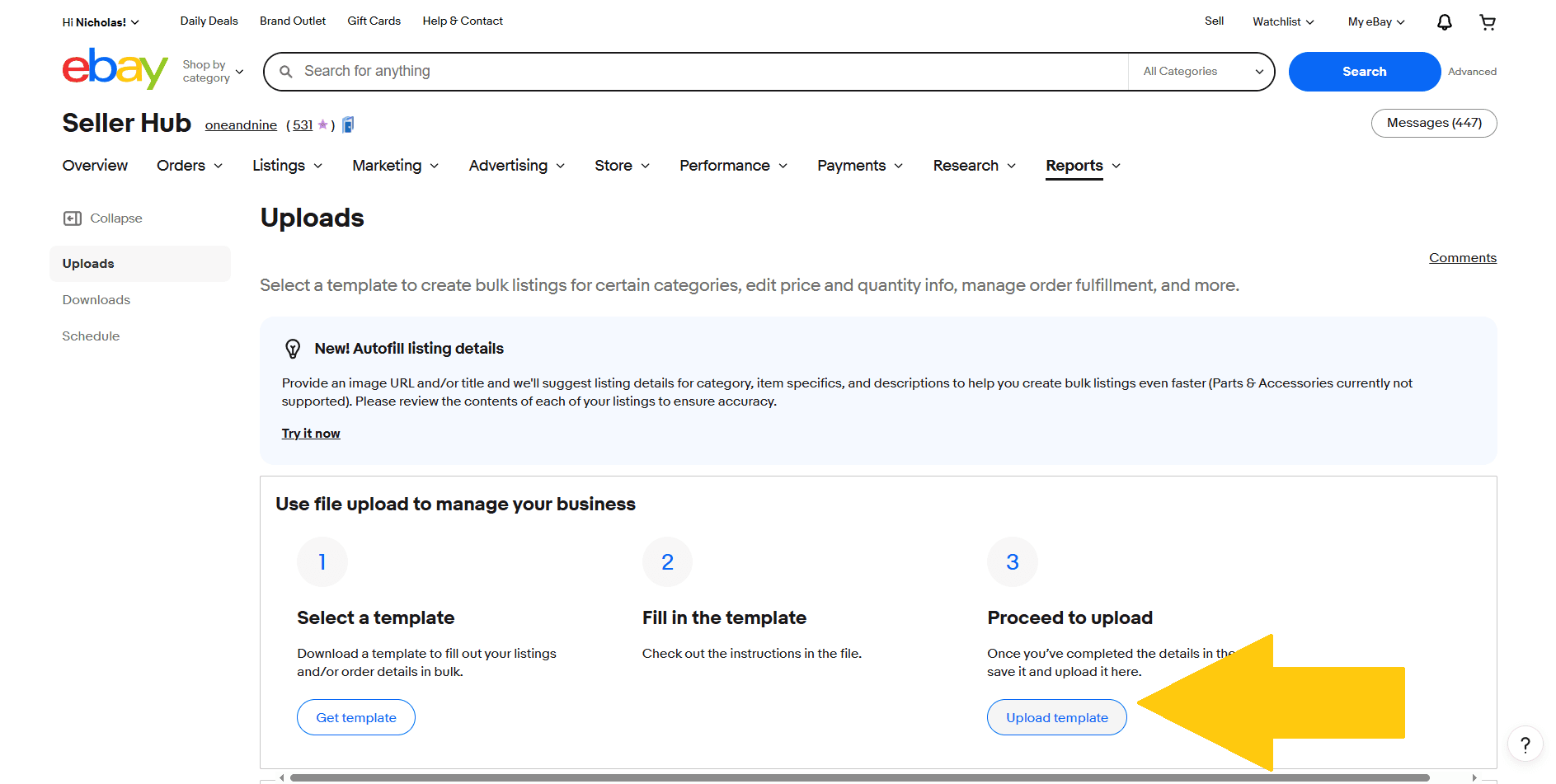
Click Upload Template and select your downloaded CSV file from your device. Eventually, this step will be able to be simplified, and you'll be able to directly link your Lazylists account to your eBay account.
Your cards are now posted to your eBay store with all of your beautiful photos!!
Check your Active Listings, if you see something like this don't worry.
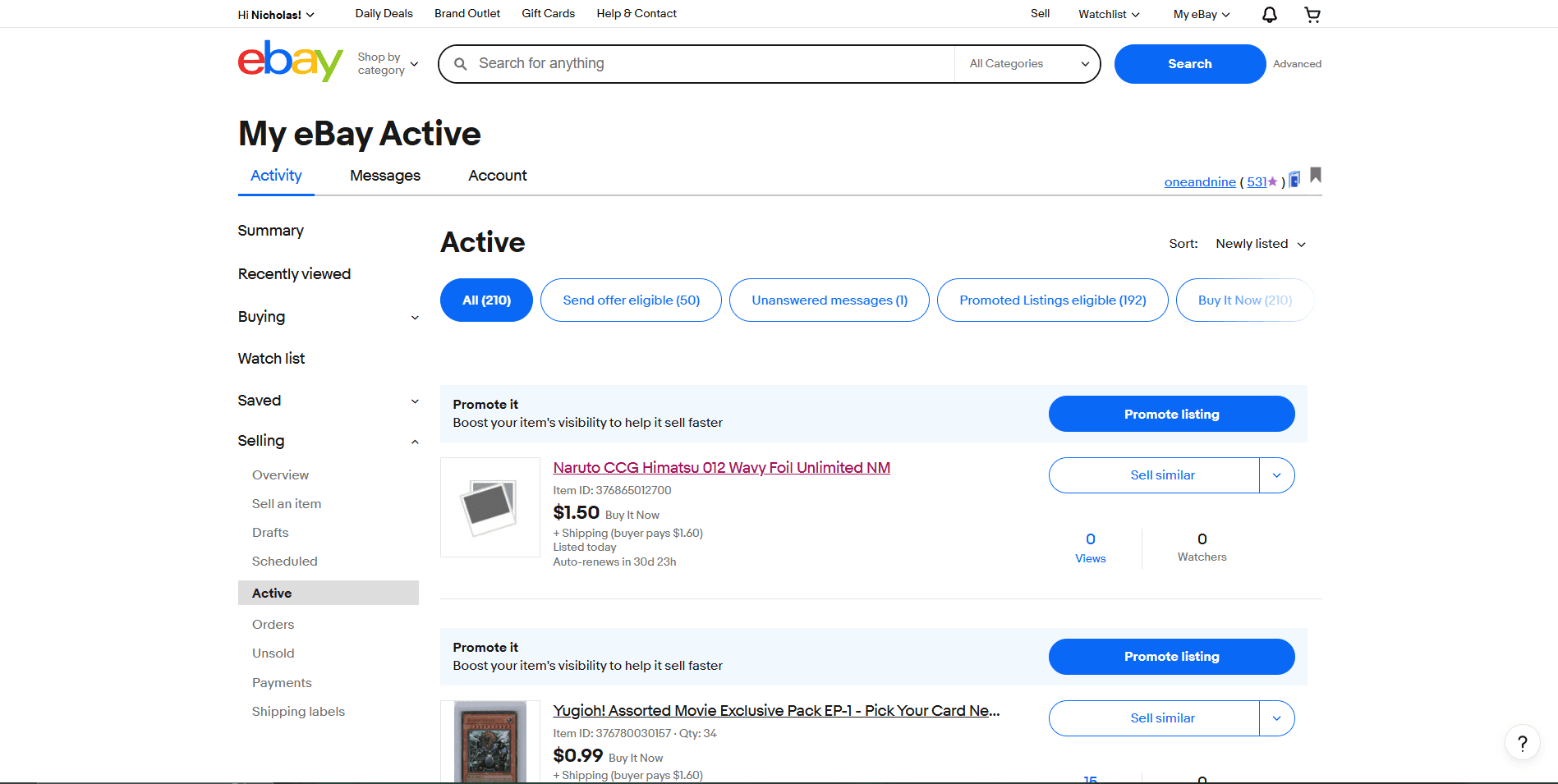
It can usually take a couple minutes for eBay's database to populate the new data.
If you run into any issues with this step please reach out to us for support